

Using Linkdrops
Learn about linkdrops following NEP-452 standard - distribute assets and onboard users to Web3 apps through simple web links using access keys and the Keypom platform.
Wanting to use Linkdrops in your dApp? Here you will find all the information you need to get started.
[!TIP]
The simplest way to create a linkdrop is by interacting with our LinkDrop Generator
The WebApp examples use the local useNearWallet hook from the Hello NEAR provider setup.
AccessKeys
In order to create any kind of drop, you need to first generate key pairs. You will need to create one key per drop.
- The
linkdropcontract will store thepublicpart of the key. - You will give the
privatepart of the key to the user you want to receive the drop.
[tab] 🌐 WebApp
import { KeyPair } from 'near-api-js';

const newKeyPair = KeyPair.fromRandom('ed25519');
newKeyPair.public_key = newKeyPair.publicKey.toString();
[tab] 🖥️ CLI
near generate-key

# Key pair with ed25519:33Vn9VtNEtWQPPd1f4jf5HzJ5weLcvGHU8oz7o5UnPqy public key for an account "1e5b1346bdb4fc5ccd465f6757a9082a84bcacfd396e7d80b0c726252fe8b3e8"
[tab] Lantstool
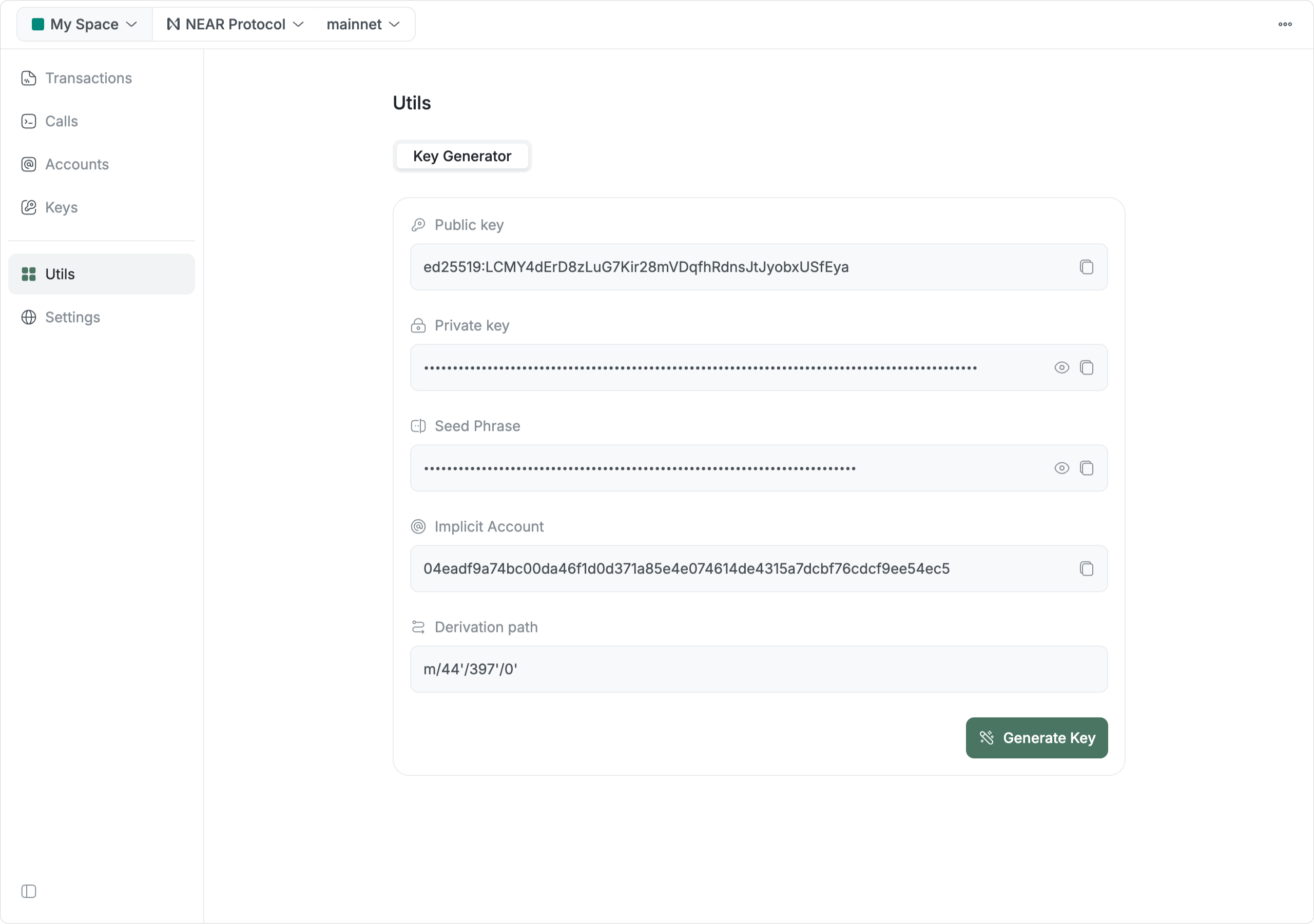
Generate a new key on Lantstool
$NEAR Drops
To create a $NEAR drop you will ask the contract to create a drop (create_drop), passing the public part of the keys you generated, and how much you want to drop on each key use (deposit_per_use).
The contract will create a drop and return the numerical ID that identifies it.
[tab] 🌐 WebApp
import { useNearWallet } from "@/components/near-provider";

const KEYPOM_CONTRACT_ADDRESS = "v2.keypom.near";
const DROP_AMOUNT = "10000000000000000000000"; // 0.1 NEAR

const { callFunction } = useNearWallet();

await callFunction({
  contractId: KEYPOM_CONTRACT_ADDRESS,
  method: "create_drop",
  args: {
    public_keys: state.publicKeys,
    deposit_per_use: DROP_AMOUNT,
  },
  deposit: "23000000000000000000000", // state.publicKeys.length * dropAmount + 3000000000000000000000
  gas: "100000000000000",
});
Learn more about setting up the NEAR provider in your application
[tab] 🖥️ CLI
near call v2.keypom.near create_drop '{"public_keys": <PUBLIC_KEYS>, "deposit_per_use": "10000000000000000000000"}' --depositYocto 23000000000000000000000 --gas 100000000000000 --useAccount bob.near
[tab] Lantstool
Try it out on Lantstool
[!NOTE]
To claim the drop, you will need to send the user a link with the private key
NFT Drops
To drop an existing NFT, you will (1) create a drop, and then (2) transfer the NFT to keypom.
1. Creating the Drop
To create an NFT drop, you will call the create_drop method, now passing a nft argument, which will tell the linkdrop contract to wait for an NFT to be transferred.
The contract will then create a drop and return the numerical ID that identifies it.
[tab] 🌐 WebApp
import { useNearWallet } from "@/components/near-provider";

const KEYPOM_CONTRACT_ADDRESS = "v2.keypom.near";
const NFT_CONTRACT_ADDRESS = "nft.primitives.near";
const DROP_AMOUNT = "10000000000000000000000";

const { callFunction, signedAccountId: accountId } = useNearWallet();

await callFunction({
  contractId: KEYPOM_CONTRACT_ADDRESS,
  method: "create_drop",
  args: {
    public_keys: state.publicKeys,
    deposit_per_use: DROP_AMOUNT,
    nft: {
      // Who will be sending the NFTs to the Keypom contract
      sender_id: accountId,
      // NFT Contract Id that the tokens will come from
      contract_id: NFT_CONTRACT_ADDRESS,
    },
  },
  deposit: "23000000000000000000000", // state.publicKeys.length * dropAmount + 3000000000000000000000
  gas: "100000000000000",
});
Learn more about setting up the NEAR provider in your application
[tab] 🖥️ CLI
near call v2.keypom.near create_drop '{"public_keys": <PUBLIC_KEYS>, "deposit_per_use": "10000000000000000000000", "nft": {"sender_id": "bob.near", "contract_id": "nft.primitives.near"}}' --depositYocto 23000000000000000000000 --gas 100000000000000 --useAccount bob.near
[tab] Lantstool
Try it out on Lantstool
2. Transferring the NFT
Having the Drop ID, you now need to transfer the NFT to the linkdrop contract, specifying to which drop you want to add it.
[tab] 🌐 WebApp
import { useNearWallet } from "@/components/near-provider";

const KEYPOM_CONTRACT_ADDRESS = "v2.keypom.near";
const NFT_CONTRACT_ADDRESS = "nft.primitives.near";
const NFT_TOKEN_ID = "1";

const { callFunction } = useNearWallet();

await callFunction({
  contractId: NFT_CONTRACT_ADDRESS,
  method: "nft_transfer_call",
  args: {
    receiver_id: KEYPOM_CONTRACT_ADDRESS,
    token_id: NFT_TOKEN_ID,
    msg: dropId.toString()
  },
  deposit: 1,
  gas: "100000000000000",
});
Learn more about setting up the NEAR provider in your application
[tab] 🖥️ CLI
near call nft.primitives.near nft_transfer_call '{"receiver_id": "v2.keypom.near", "token_id": <YOUR TOKEN ID>, "msg": <YOUR DROP ID>}' --depositYocto 1 --gas 100000000000000 --useAccount bob.near
[tab] Lantstool
Try it out on Lantstool
[!TIP]
The
linkdropcontract will validate that you are transferring the NFT to a drop that belongs to you
[!TIP]
The simplest way to create a linkdrop is by interacting with our LinkDrop Generator
FT Drops
The process to drop a Fungible Token is very similar to that of creating an NFT drop. You will first create the drop, and then fund it with FTs.
1.Creating a drop
To create a FT drop you will call the create_drop method, now passing a ftData argument, which will tell the linkdrop contract to wait for a certain amount of FT to be transferred.
The contract will then create a drop and return the numerical ID that identifies it.
[tab] 🌐 WebApp
import { useNearWallet } from "@/components/near-provider";

const KEYPOM_CONTRACT_ADDRESS = "v2.keypom.near";
const FT_CONTRACT_ADDRESS = "ft.primitives.near";
const DROP_AMOUNT = "10000000000000000000000";

const { callFunction, signedAccountId: accountId } = useNearWallet();

await callFunction({
  contractId: KEYPOM_CONTRACT_ADDRESS,
  method: "create_drop",
  args: {
    public_keys: state.publicKeys,
    deposit_per_use: DROP_AMOUNT,
    ftData: {
      contractId: FT_CONTRACT_ADDRESS,
      senderId: accountId,
      // This balance per use is balance of human readable FTs per use.
      amount: "1"
      // Alternatively, you could use absoluteAmount, which is dependent on the decimals value of the FT
      // ex. if decimals of an ft = 8, then 1 FT token would be absoluteAmount = 100000000
    },
  },
  deposit: "23000000000000000000000", // state.publicKeys.length * dropAmount + 3000000000000000000000
  gas: "100000000000000",
});
Learn more about setting up the NEAR provider in your application
[tab] 🖥️ CLI
near call v2.keypom.near create_drop '{"public_keys": <PUBLIC_KEYS>, "deposit_per_use": "10000000000000000000000", "ftData": {"contractId": "ft.primitives.near","senderId": "bob.near", "amount": "1"}}}' --depositYocto 23000000000000000000000 --gas 100000000000000 --useAccount bob.near
[tab] Lantstool
Try it out on Lantstool
2. Transferring FT
Having the Drop ID, you now need to transfer the fungible tokens to the linkdrop contract.
[!NOTE]
To transfer FTs to an account, you need to first register the receiver account (e.g. the keypom contract) on the FT contract.
[tab] 🌐 WebApp
import { useNearWallet } from "@/components/near-provider";

const KEYPOM_CONTRACT_ADDRESS = "v2.keypom.near";
const FT_CONTRACT_ADDRESS = "ft.primitives.near";

const { callFunction } = useNearWallet();

await callFunction({
  contractId: FT_CONTRACT_ADDRESS,
  method: "ft_transfer",
  args: {
    receiver_id: KEYPOM_CONTRACT_ADDRESS,
    amount: "1"
  },
  deposit: "1",
  gas: "100000000000000"
});
Learn more about setting up the NEAR provider in your application
[tab] 🖥️ CLI
near call ft.primitives.near ft_transfer '{"receiver_id": "v2.keypom.near", "amount": "1"}' --depositYocto 1 --gas 100000000000000 --useAccount bob.near
[tab] Lantstool
Try it out on Lantstool
[!TIP]
The simplest way to create a linkdrop is by interacting with our LinkDrop Generator
Function Call Drop
Linkdrop contracts allow to create function call drops. These drops will execute one or more methods on a contract when the user claims the drop.
[!TIP]
Function call drops can be thought as the abstract version of other drops: you can create a drop that will mint an NFT, register a user in a DAO, or pay for a service.
[tab] 🌐 WebApp
import { useNearWallet } from "@/components/near-provider";

const KEYPOM_CONTRACT_ADDRESS = "v2.keypom.near";
const NFT_CONTRACT_ADDRESS = "nft.primitives.near";
const NFT_TOKEN_ID = "1";
const DROP_AMOUNT = "10000000000000000000000";

const { callFunction } = useNearWallet();

await callFunction({
  contractId: KEYPOM_CONTRACT_ADDRESS,
  method: "create_drop",
  args: {
    public_keys: state.publicKeys,
    deposit_per_use: DROP_AMOUNT,
    fcData: {
      // 2D array of function calls. In this case, there is 1 function call to make for a key use
      // By default, if only one array of methods is present, this array of function calls will be used for all key uses
      methods: [
        // Array of functions for Key use 1.
          [{
            receiverId: NFT_CONTRACT_ADDRESS,
            methodName: "nft_mint",
            args: JSON.stringify({
            // Change this token_id if it already exists -> check explorer transaction
                token_id: NFT_TOKEN_ID,
                metadata: {
                  title: "My NFT drop",
                  description: "",
                  media: "",
                }
            }),
            accountIdField: "receiver_id",
            // Attached deposit for when the receiver makes this function call
            attachedDeposit: "10000000000000000000000"
          }]
      ]
    }
  },
  deposit: "23000000000000000000000", // state.publicKeys.length * dropAmount + 3000000000000000000000
  gas: "100000000000000",
});
Learn more about setting up the NEAR provider in your application
[tab] 🖥️ CLI
near call v2.keypom.near create_drop '{"public_keys": <PUBLIC_KEYS>, "deposit_per_use": "10000000000000000000000", "fcData": {"methods": [[{"receiverId": "nft.primitives.near","methodName": "nft_mint","args": {"token_id": "1", "metadata": {"title": "My NFT drop","description": "","media": ""}, "accountIdField": "receiver_id", "attachedDeposit": "10000000000000000000000"}]]}}' --depositYocto 23000000000000000000000 --gas 100000000000000 --useAccount bob.near
[tab] Lantstool
Try it out on Lantstool
Building drop links
To create a linkdrop link, simply append the private key to the claim page:
http://localhost:3001/claim/linkdrop?id=ed25519:5Ly2arHZ4niWBVyEuzpN3J8QQX1BrYfWsirGqdYR3JfqUDhJ3SRK7JeQfVsh4UL8Wn6uf8RzWE4RPHymkePywVVd